A common architectural mistake in transactional email management is using a single root domain (e.g., `company.com`) for all outbound email types. If a marketing newsletter receives a spike in spam complaints, your primary domain's reputation suffers, causing critical password resets and billing receipts to land in the spam folder.
Isolating email traffic using **subdomain segregation** in AWS SES safeguards your core business communications.
---
## Recommended Subdomain Architecture
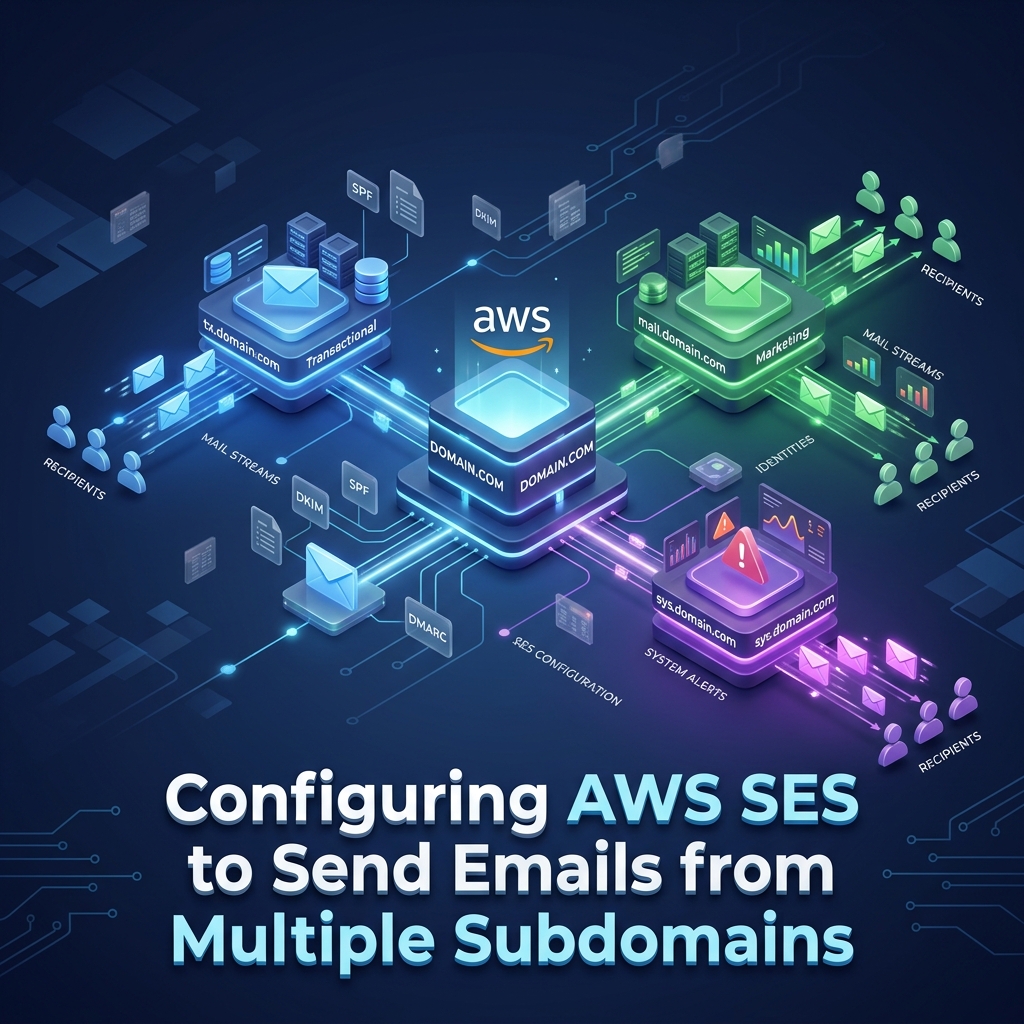
Separating email types across subdomains isolates domain reputations and prevents cross-traffic deliverability contamination:
```
┌─── tx.company.com (Transactional: OTP, Passwords, Receipts)
│
company.com ──────┼─── mail.company.com (Marketing: Newsletters, Promotions)
│
└─── sys.company.com (Internal: Monitoring, Alerts, Admin)
```
---
## 1. Setting Up Subdomain Identities in AWS SES
In Amazon SES, subdomains can be verified independently or automatically inherited if the parent root domain is verified. However, **explicitly configuring custom MAIL FROM domains** per subdomain is required for SPF and DMARC alignment.
### Step 1: Add Custom MAIL FROM for Subdomains
For `tx.company.com`:
- Custom MAIL FROM: `bounces.tx.company.com`
- MX Record: `10 feedback-smtp.us-east-1.amazonses.com`
- SPF Record (TXT): `v=spf1 include:amazonses.com ~all`
For `mail.company.com`:
- Custom MAIL FROM: `bounces.mail.company.com`
- MX Record: `10 feedback-smtp.us-east-1.amazonses.com`
- SPF Record (TXT): `v=spf1 include:amazonses.com ~all`
---
## 2. DMARC Alignment with Subdomains
DMARC evaluates alignment between the `From:` header domain seen by the recipient and the authenticated SPF/DKIM domains.
### Relaxed Alignment vs. Strict Alignment
```dns
# DMARC Policy Record on root domain (_dmarc.company.com)
v=DMARC1; p=reject; aspf=r; adkim=r; rua=mailto:[email protected];
```
- **`aspf=r` (Relaxed SPF Alignment)**: Allows `bounces.tx.company.com` to align with `tx.company.com` or `company.com`.
- **`adkim=r` (Relaxed DKIM Alignment)**: Allows DKIM signatures from `tx.company.com` to satisfy authentication for `From: [email protected]`.
---
## 3. Configuring Application Transport Rules
In your application framework (e.g., Laravel or Node.js), configure separate mailer instances for each subdomain:
```php
// config/mail.php
'mailers' => [
'transactional' => [
'transport' => 'ses',
'region' => 'us-east-1',
'options' => [
'ConfigurationSetName' => 'Transactional-Config-Set',
],
'from' => [
'address' => '[email protected]',
'name' => 'Company Support',
],
],
'marketing' => [
'transport' => 'ses',
'region' => 'us-east-1',
'options' => [
'ConfigurationSetName' => 'Marketing-Config-Set',
],
'from' => [
'address' => '[email protected]',
'name' => 'Company Newsletter',
],
],
],
```
---
## Summary
Segregating outbound email dispatches into specialized subdomains (`tx.company.com` vs `mail.company.com`) protects your critical transactional delivery from marketing list penalties and provides pinpoint deliverability metrics in AWS SES.